
I Built A Self-Running Marketing Team Inside Claude Code Within 1 Hour…
No agency. No contractor. No 47-tool SaaS graveyard. Just one folder and some very clear instructions to Claude code.

When you start a consultancy.
You become the strategist, the copywriter, the analyst, the researcher, and the person who formats the deck at 11pm because the client call is at 9am.
You don’t need more tools. You need a system that actually knows who you are before it starts talking.
That’s what this is. I built a full marketing brain inside Claude Code, in VS Code, in under an hour. It runs competitive research, writes content in my voice, and analyzes campaign data without me explaining myself every single time.
Here’s exactly how I did it, step by step.
First, Let’s Talk About Why Your Current Claude Setup Isn’t Working
You open Claude. You type a prompt. You get something that sounds like it was written by a well-read HR department.
The problem isn’t Claude. The problem is Claude has no idea who you are, what you do, or how you talk.
Every session starts from zero. No context. No voice. No memory of the last 40 conversations you had.
The fix isn’t a better prompt. The fix is a project with a brain baked in before you type a single word.
Step 1: Open VS Code and Stop Being Afraid of the Terminal
Pro tip: Ask Claude to guide you through the installation live. Throw screenshots at it, shoot your questions, and let it walk you through every step. Weirdly effective for something that doesn’t have hands.
If you’ve never touched a terminal, this is your moment.
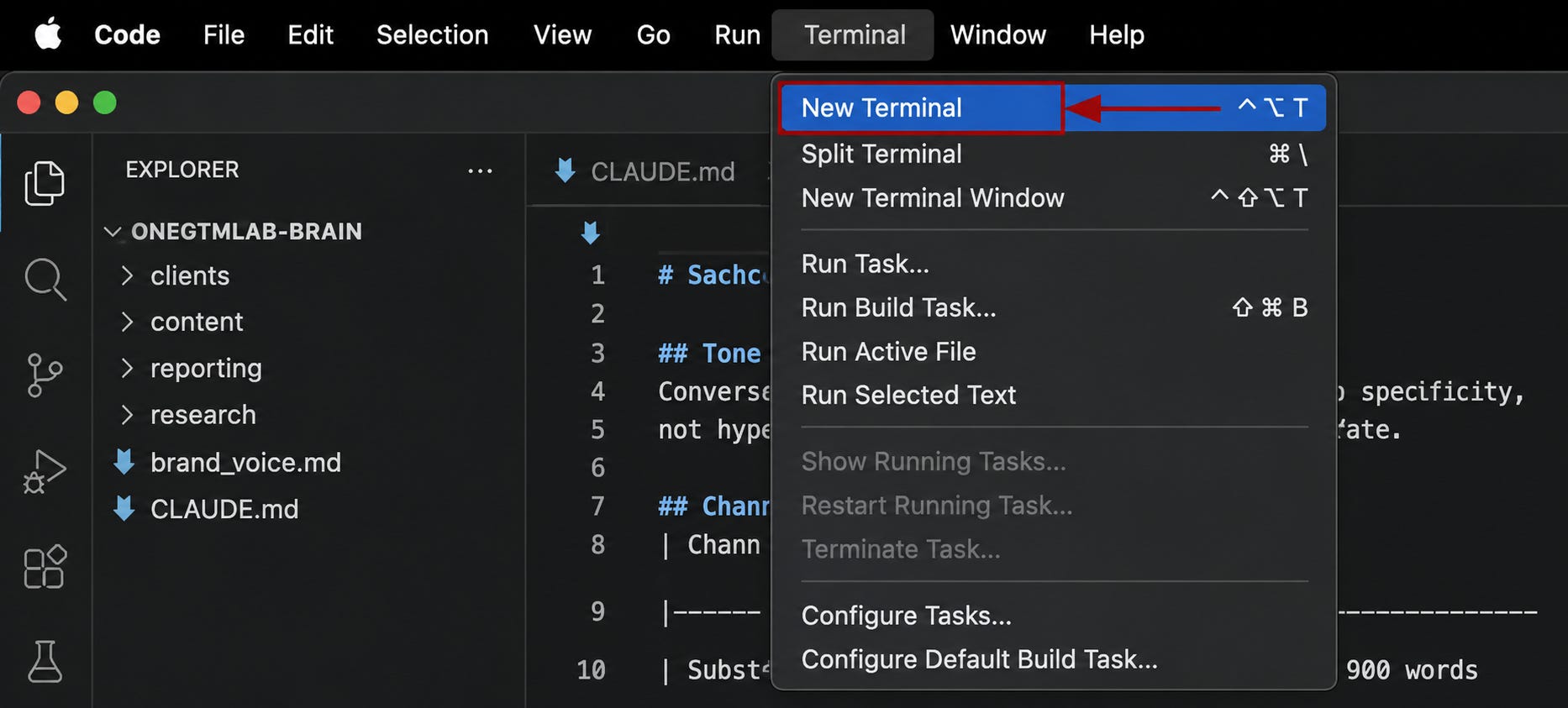
Open VS Code > Go to Terminal in the top menu > Click New Terminal > A black panel slides open at the bottom.
That’s it. You’re a developer now. Tell your friends.
Step 2: Create the Project Folder (Your Brain’s Home)
In the terminal, run these one by one, as it is:

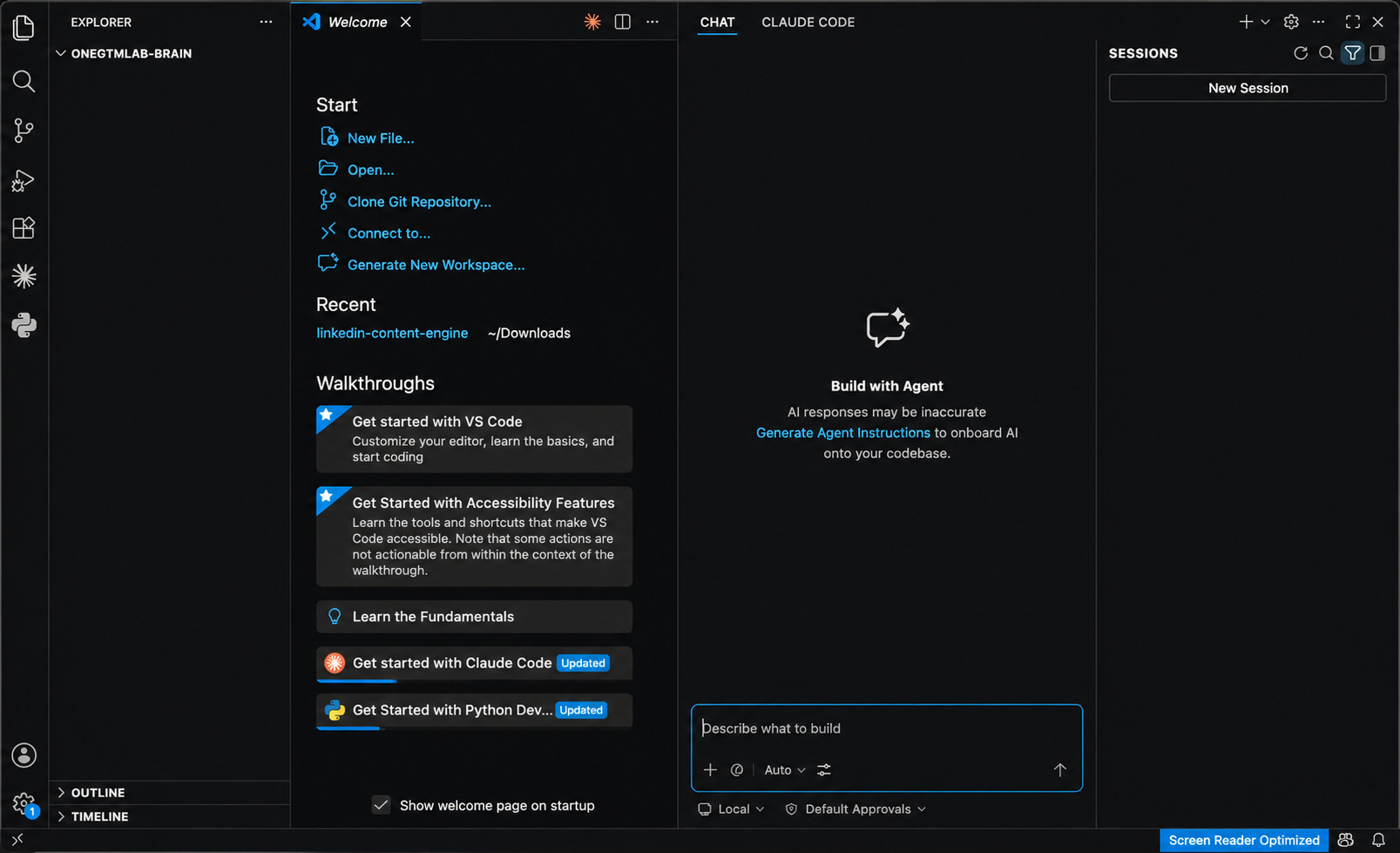
A fresh VS Code window opens. Empty. Clean. Ready.
If code . throws an error, press Cmd + Shift + P, type Shell Command: Install ‘code’ command in PATH, click it, enter your Mac password. Then run code . again.
Step 3: Build the Folder Structure (The Full Marketing Team, Not Just Vibes)
A full marketing team doesn’t just write content. It does research, tracks competitors, runs reports, manages client briefs, and occasionally panics about the deck.
So the structure reflects all of that, type each line in the terminal and hit enter.
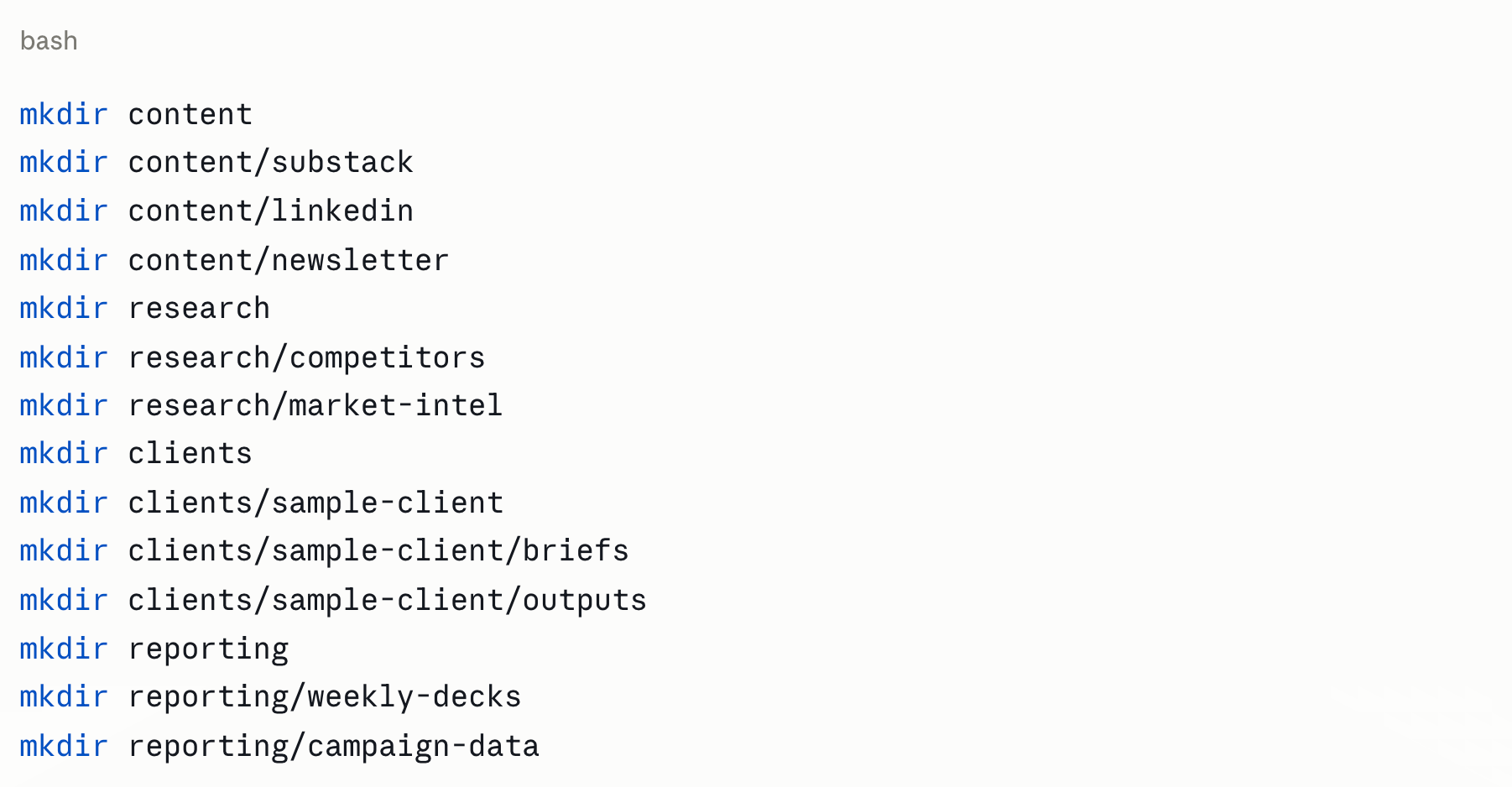
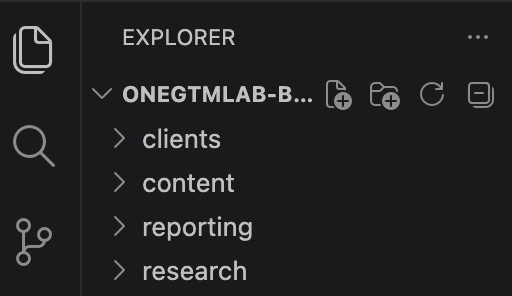
Run them one by one. Watch the folders appear in the sidebar like you’re building something real. Because you are.
Step 4: Create the Two Files That Make Everything Work
This is the actual secret. Two files. Everything else is just folders.
Type this in the terminal:

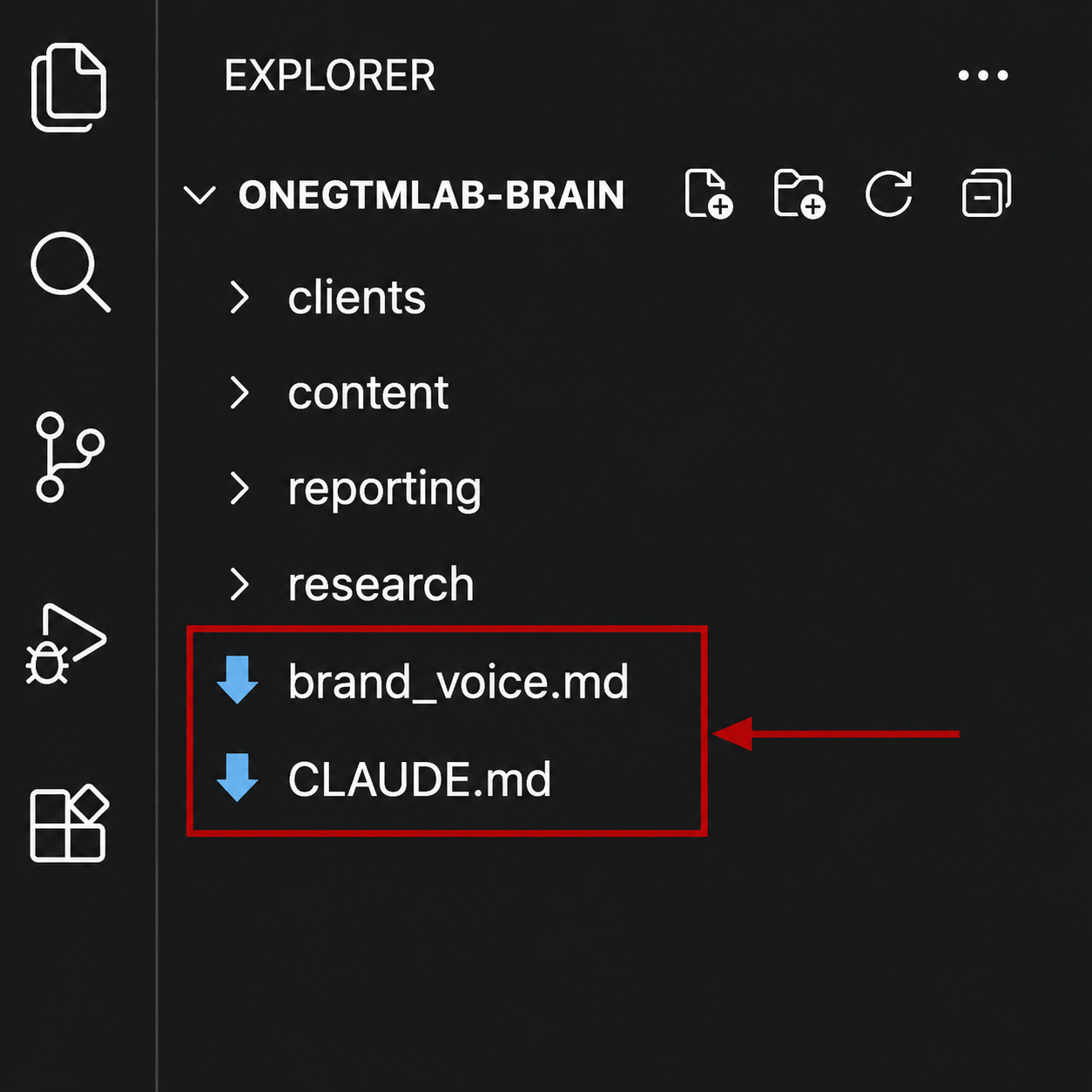
Step 5: Fill CLAUDE.md Tell It Who You Are Before It Embarrasses You
Click on CLAUDE.md in the sidebar. Type this:
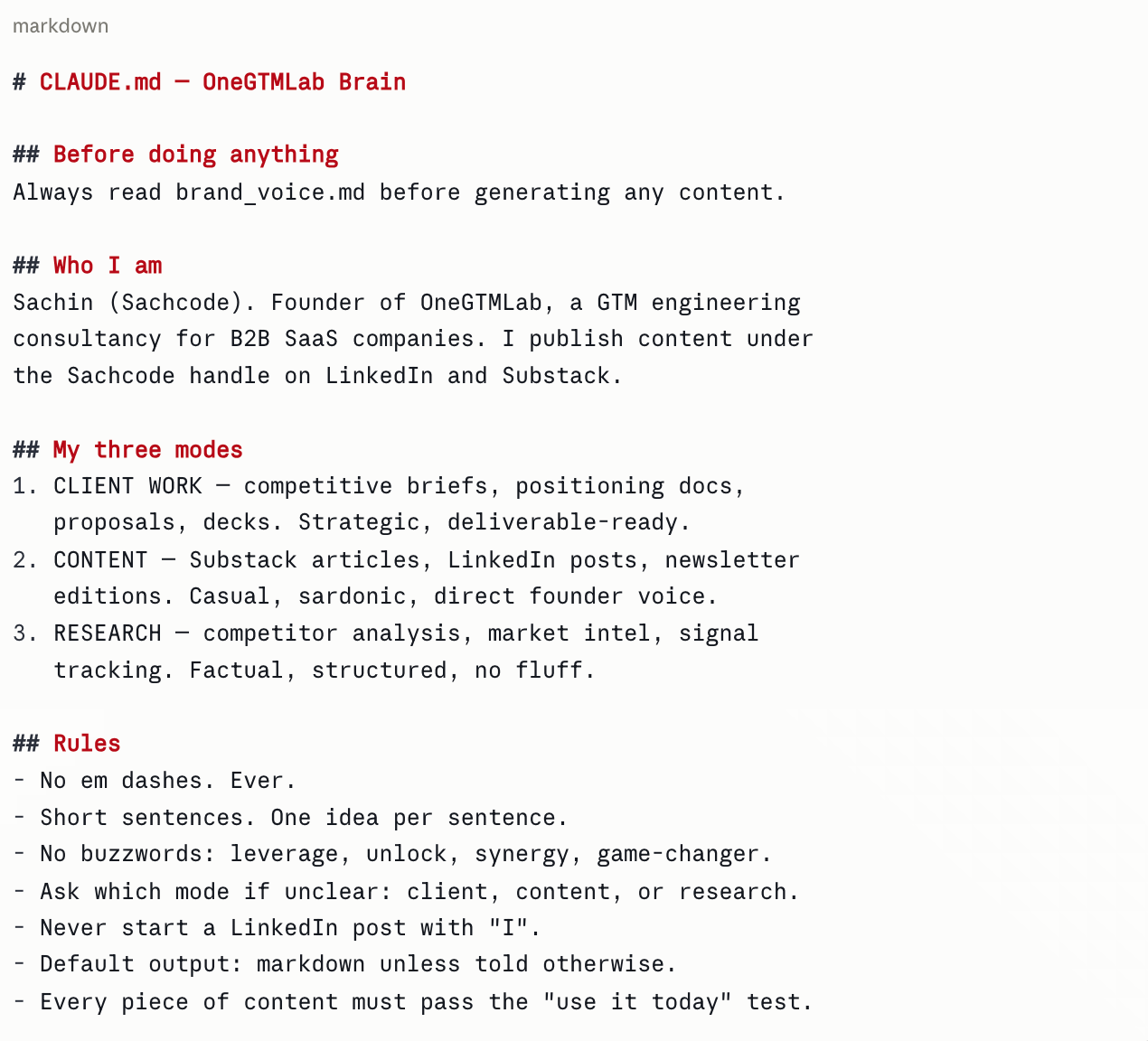
Hit Cmd + S. Saved.
Step 6: Fill brand_voice.md — So It Stops Sounding Like a Press Release
Open brand_voice.md. Type this:
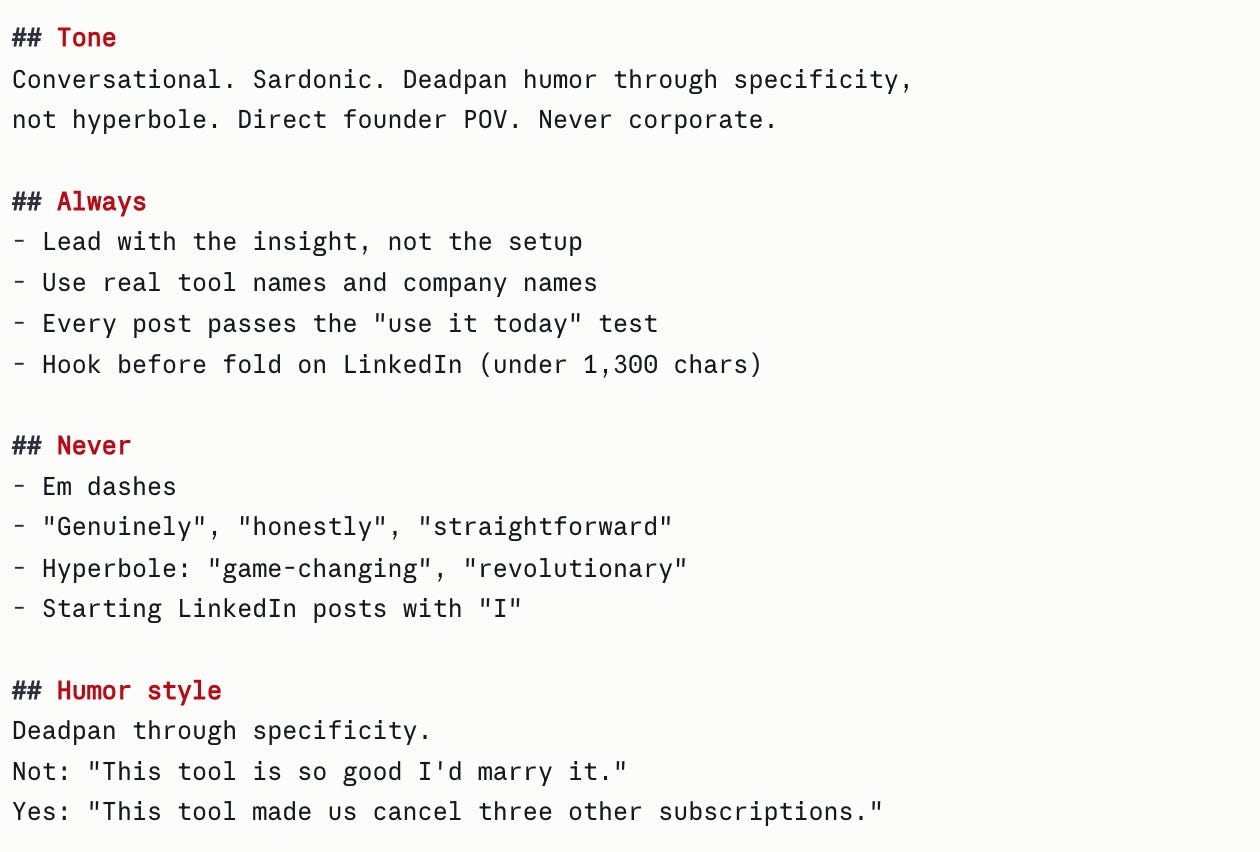
Cmd + S. Done.
Step 7: Test It. Ask Claude If It’s Been Paying Attention
Open the Claude Code chat panel.
Type this exactly in the chat box:
“What mode am I in and what are your rules for this project?”
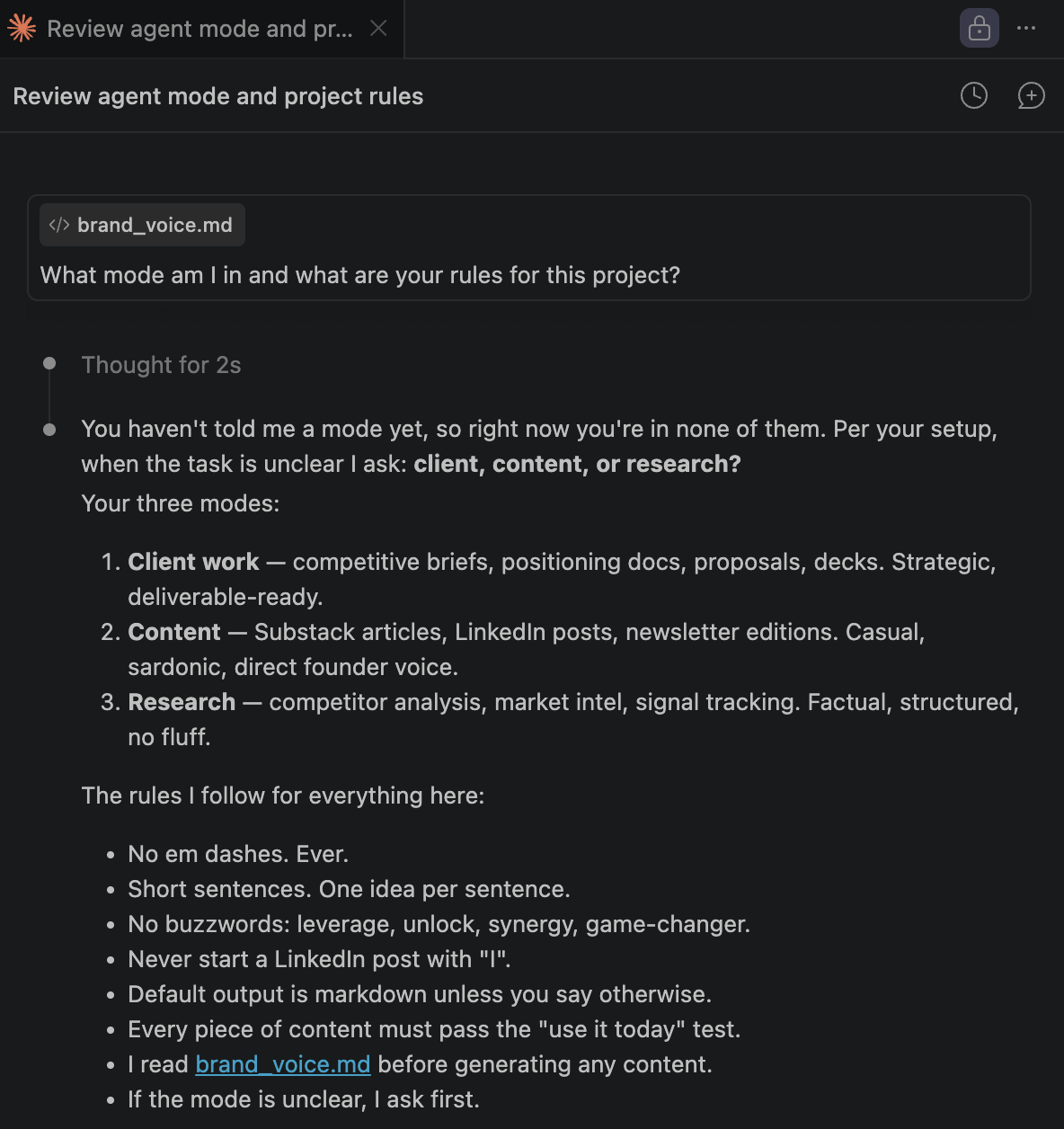
If Claude responds with your exact rules, reads brand_voice.md unprompted, and asks which mode you want to work in, the brain is alive.
Step 8: Run a Real Task and See the Difference
Type this in the chat:
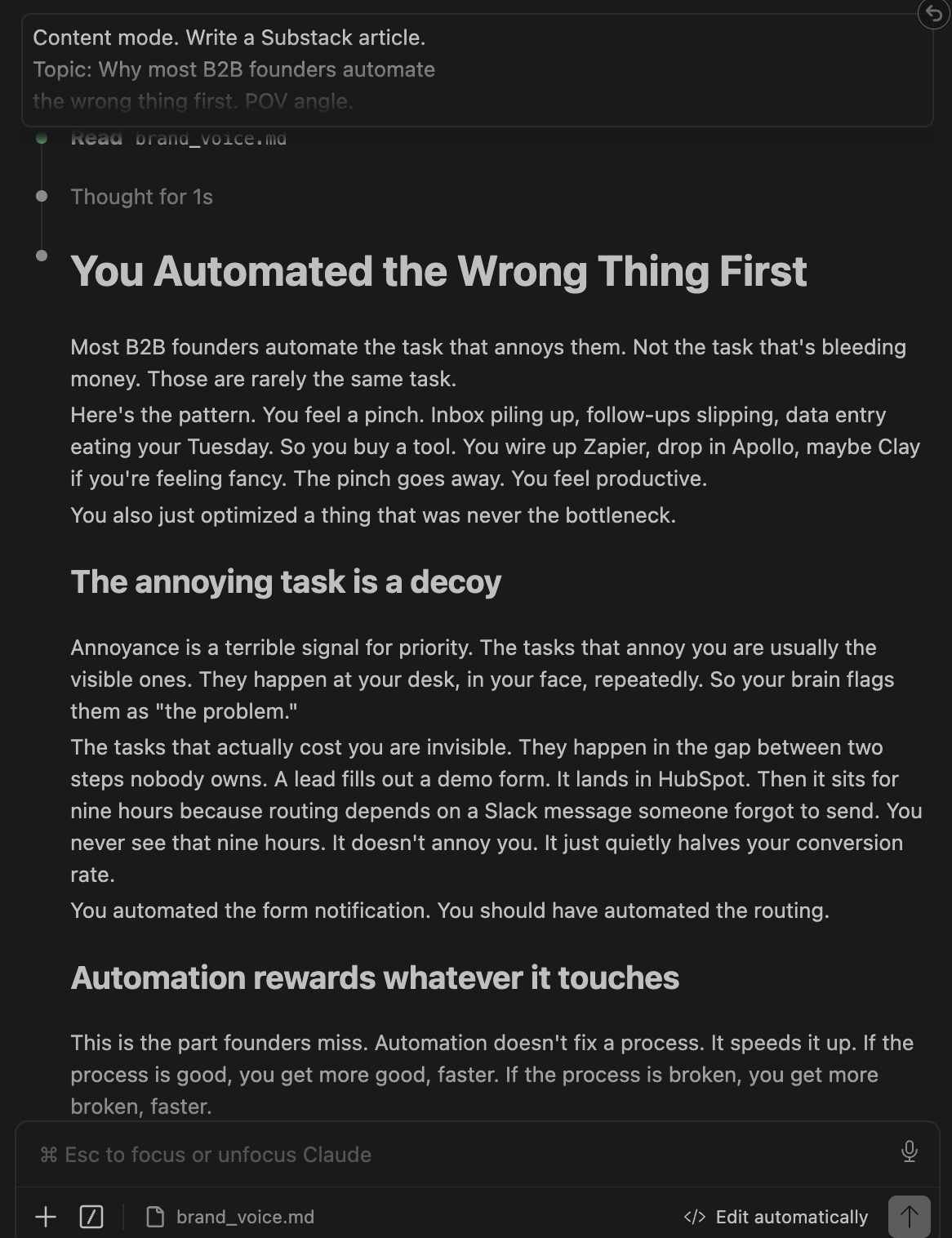
Content mode. Write a Substack article.
Topic: Why most B2B founders automate
the wrong thing first. POV angle.
Under 900 words. In my brand voice.
You’ll notice it doesn’t start with “I”. It leads with insight. It doesn’t use “leverage” or “game-changer”. It sounds like you wrote it on a Tuesday morning with two coffees in, which is exactly the bar.
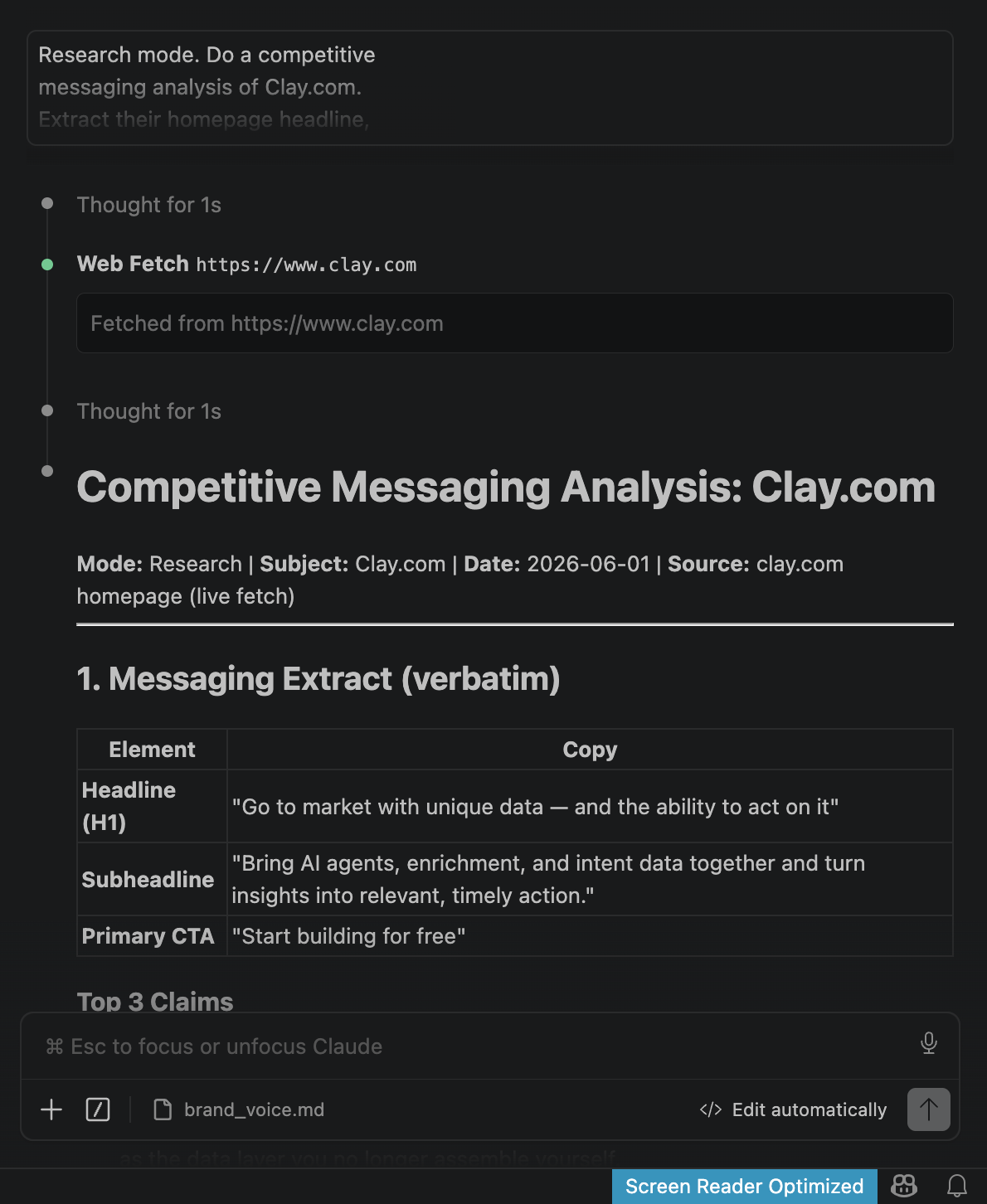
Now let’s test the Research mode. This maps to the Competitive Intel Machine from the Substack article.
Type this in the Claude Code chat:
Research mode. Do a competitive
messaging analysis of Clay.com.
Extract their homepage headline,
primary CTA, and top 3 claims.
Then tell me where a GTM engineering
consultancy like OneGTMLab wins
against them and where we’re vulnerable.
Deliver as a structured markdown report.
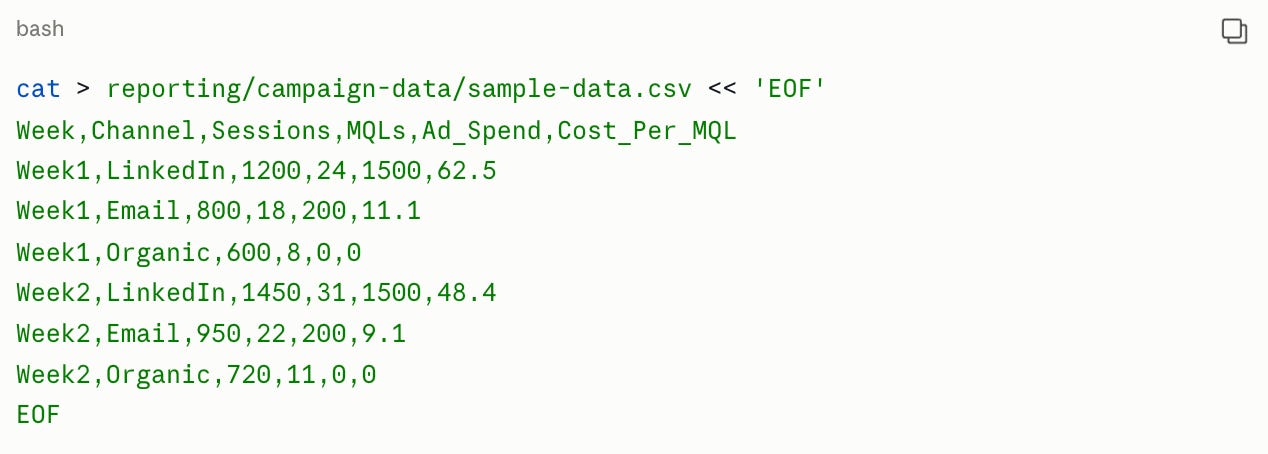
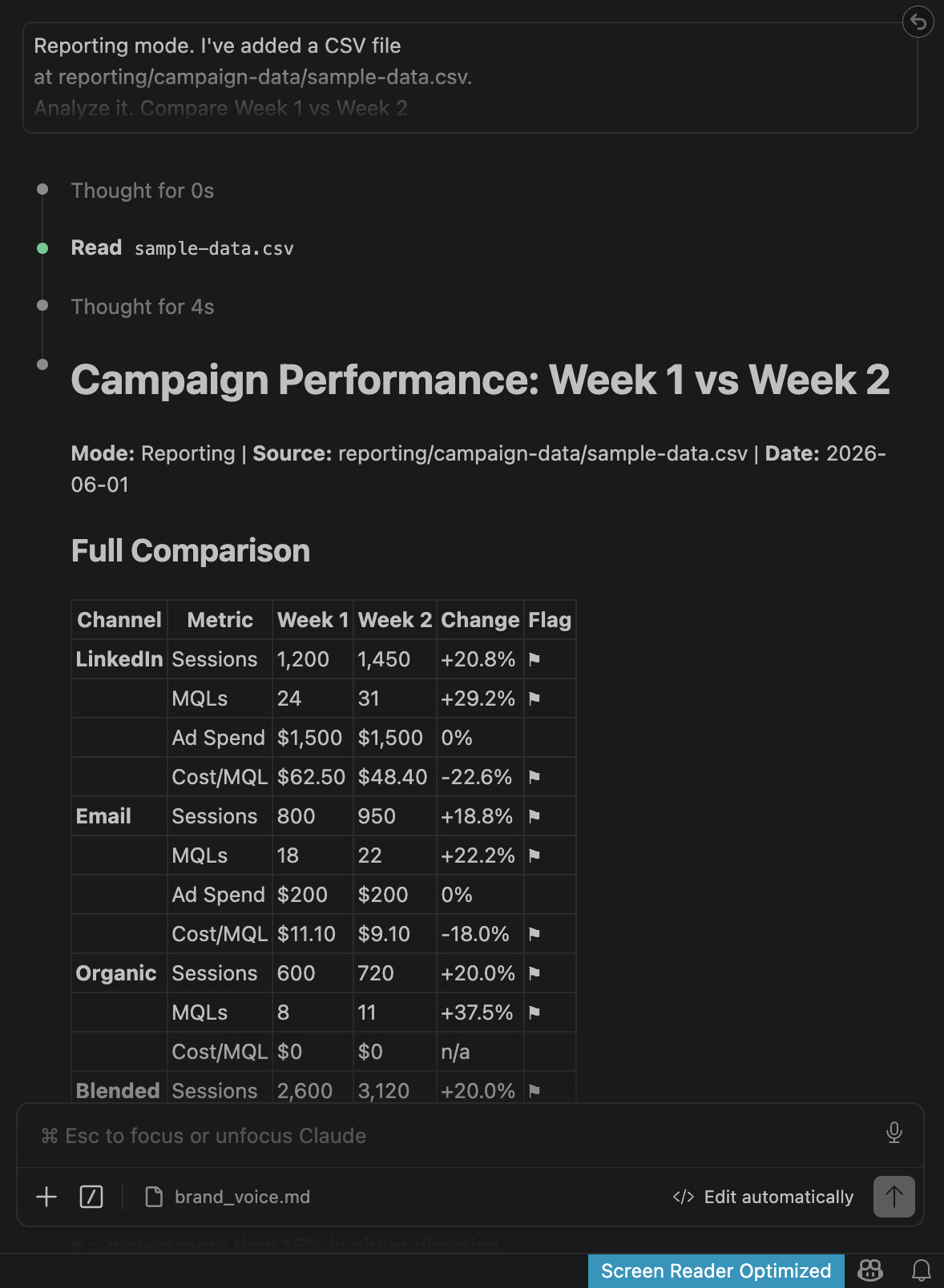
Let’s test Reporting mode. This is the Friday Executive Deck workflow.
But for this one we need a sample CSV file to feed Claude. Run this in the terminal to create a dummy data file:
Then type this in the Claude Code chat:
Reporting mode. I’ve added a CSV file
at reporting/campaign-data/sample-data.csv.
Analyze it. Compare Week 1 vs Week 2
across all channels. Flag anything that
moved more than 15% either direction.
Write a 5-bullet executive summary
with interpretation, not just numbers.
What You Built & Why It Actually Matters
The folder structure is storage. The CLAUDE.md and brand_voice.md are the brain.
Every session from here starts with Claude already knowing who you are, how you write, and what mode to operate in. You stop re-explaining yourself. You stop editing out the buzzwords. You stop getting output that sounds like a LinkedIn post from 2019.
The machine doesn’t replace the judgment. But it runs a lot faster when it already knows the rules.